🧪Ghallati is in beta — it is not for sale yet. This site is for trying the beta versions and improving them with your feedback.
🧪 Beta version — free to try

Your whole shop in one program

Point of sale, inventory, repairs, customers & installments, and reports that show your real profit — simple, with no complications. It runs on the shop computer without internet, and you can open it from your phone.
🧾 VAT invoices with QR code 🔧 Repairs from drop-off to pickup 📲 Invoices & reminders on WhatsApp 🌐 Open it from outside the shop 📷 Scan barcodes with your phone camera 🏬 Multiple warehouses 🌐 English · عربي · বাংলা
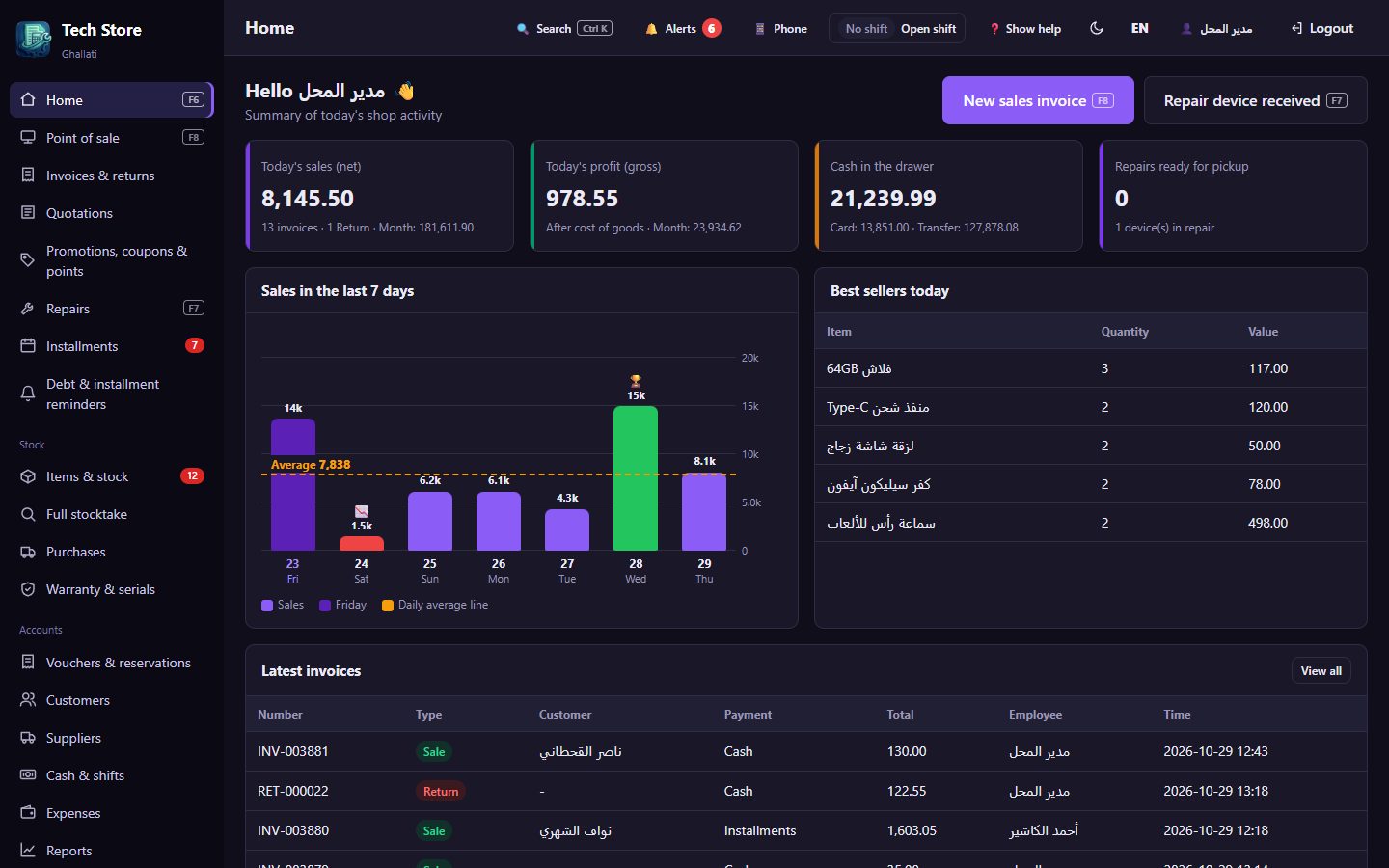
Ghallati home screen
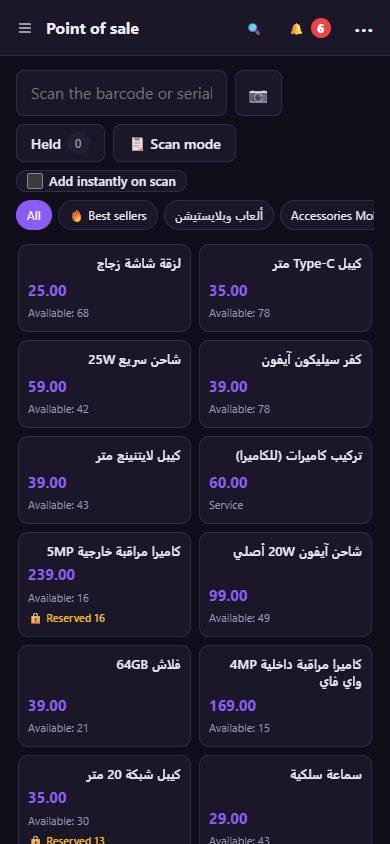
Point of sale on a phone

What does Ghallati do for you?

Everything a shop needs, from the first sale of the day to the end of the month, in one place.

🛒Fast point of sale

  • Sell with a barcode scanner, serial number (IMEI) or by name
  • Cash, card, transfer, credit, installments, or split payment
  • Keyboard shortcuts, scan mode, and held invoices
  • Edit an invoice under the same number, and returns with credit notes

📱From your phoneNew

  • Android app that connects to the shop by scanning a QR code
  • Scan item barcodes and serial numbers with the phone camera
  • Open the program from outside the shop with your own link (how)
  • Take item photos with the camera

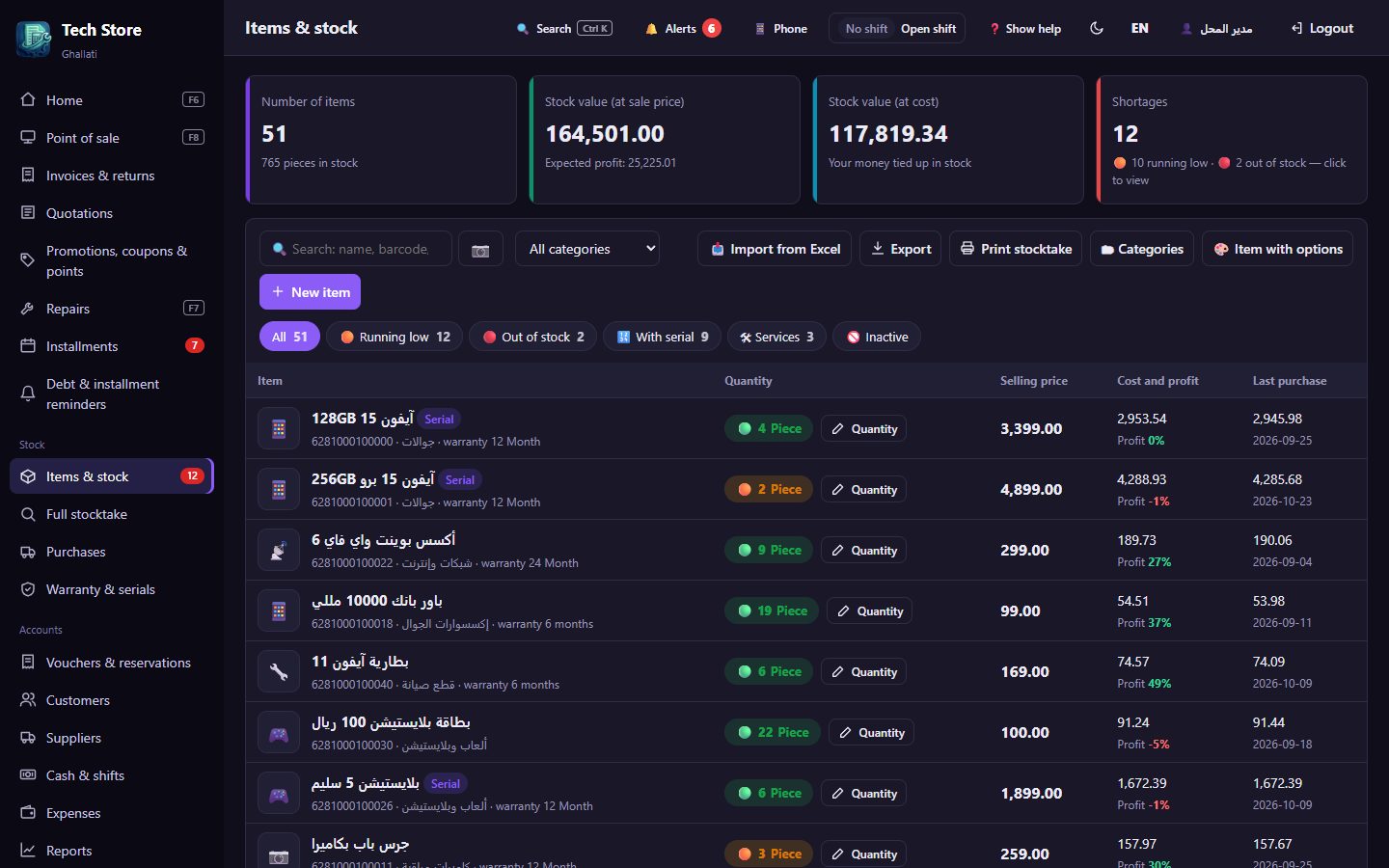
📦Inventory & items

  • Devices with serial numbers, warranty in days or months
  • Items with variants: color, size, capacity
  • Expiry dates with an alert before they expire
  • Low-stock alerts, barcode labels, count sheets and full stocktake

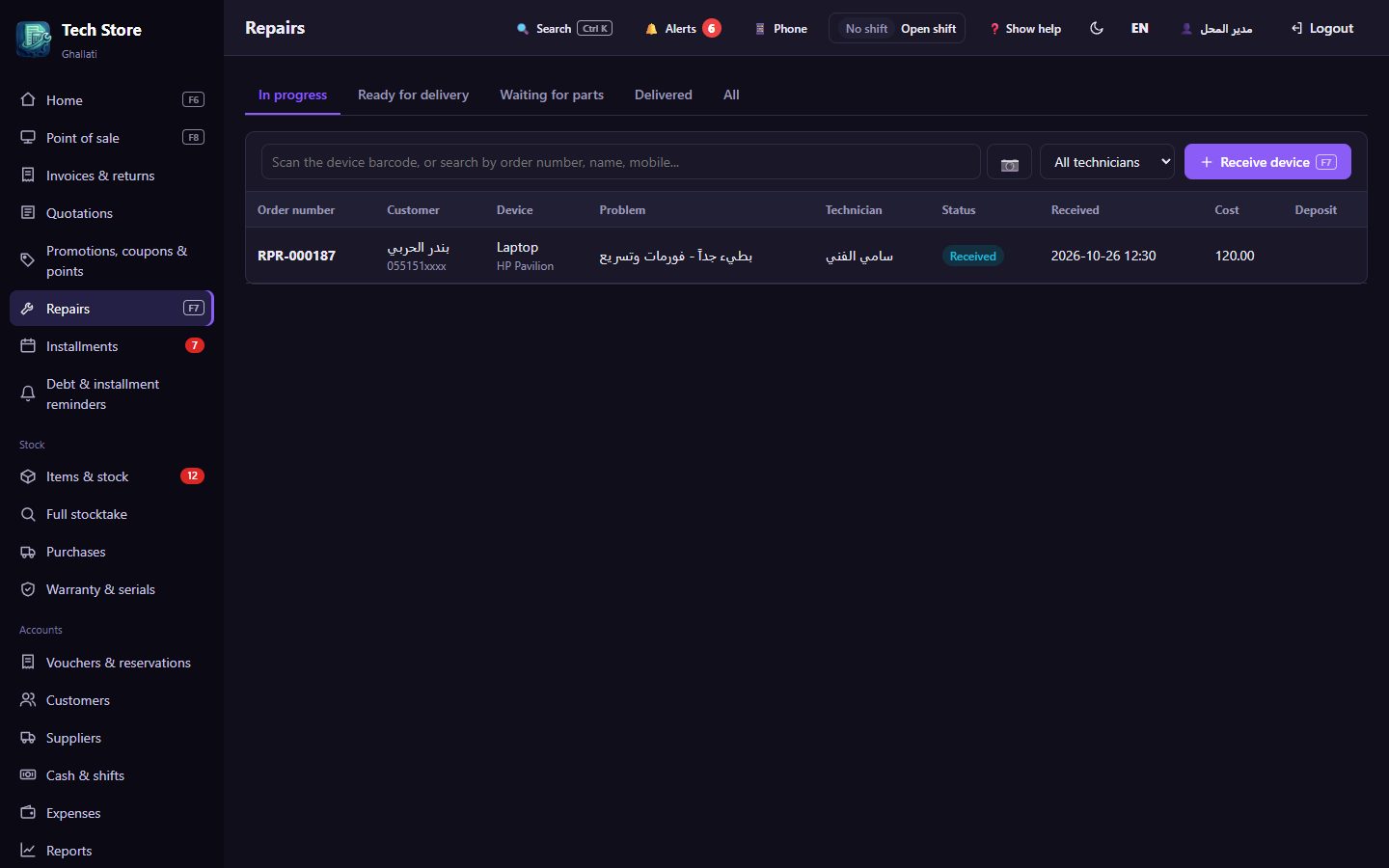
🔧Repairs from drop-off to pickup

  • Drop-off receipt and a barcode label for the device
  • Diagnosis, spare parts from stock, deposit, and order status
  • One-click delivery with payment, and repair warranty
  • Send the device status to the customer on WhatsApp

🛍For groceries & supermarketsNew

  • Sell by kilo, bunch or piece
  • Scale barcodes and short item codes (PLU)
  • «Today's prices» screen for fruit & vegetables
  • Open amount with a calculator (F10)

👥Customers, installments & reservations

  • An account for every customer, statements, receipt and payment vouchers
  • Installment schedules, and reserving goods with a deposit
  • Debt and installment reminders on WhatsApp
  • Promotions, coupons, loyalty points and wholesale prices

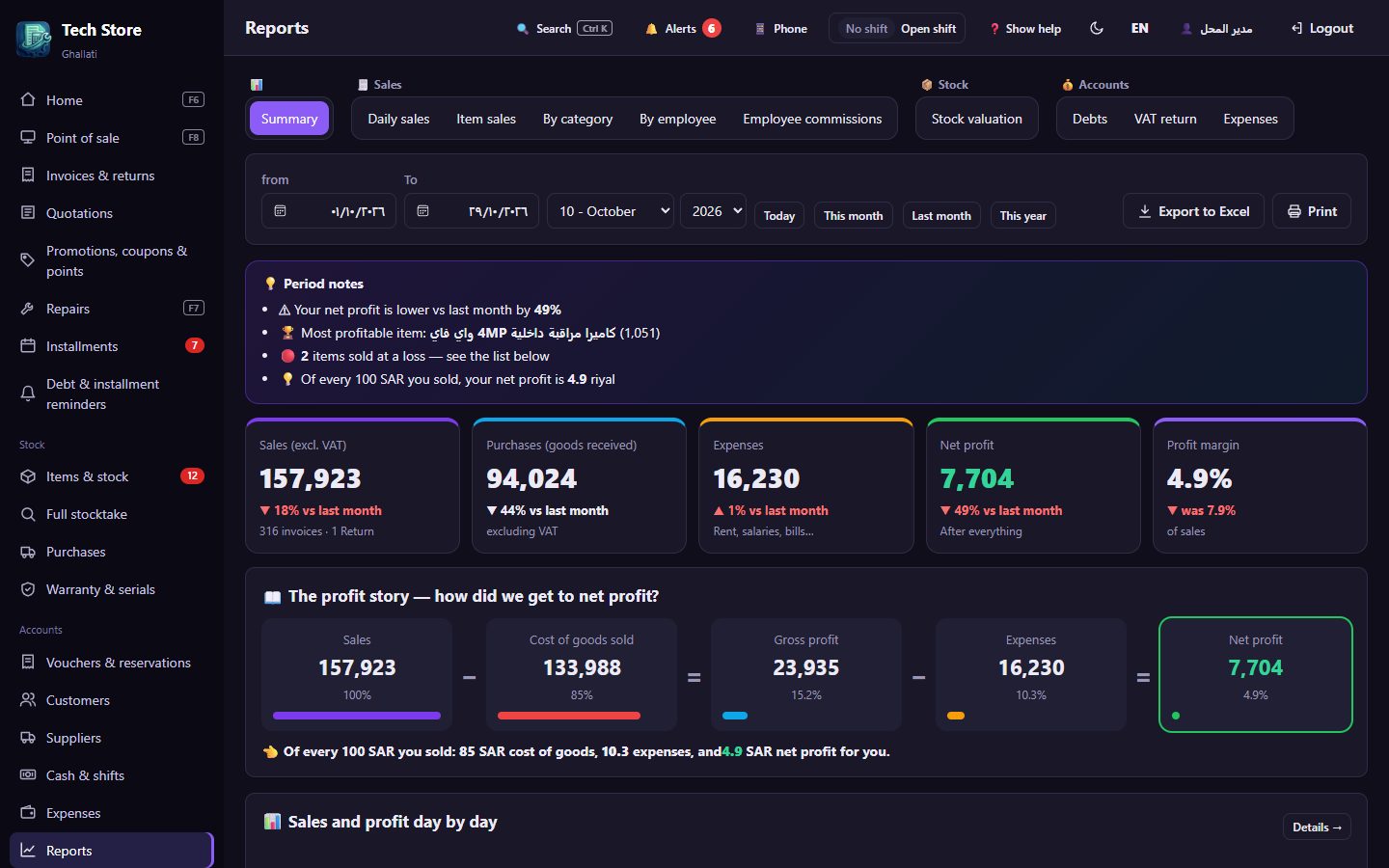
📊Reports that show your profit

  • Net profit and the «profit story» in numbers
  • Sales day by day, compared with last month
  • Stock valuation, debts, expenses and VAT
  • Print and export to Excel

🧑‍💼Staff & cash drawer

  • Permissions per employee: cashier, technician, storekeeper…
  • Manager approval for sensitive actions
  • Cash drawer, shifts, expenses and commissions
  • Activity log: who did what, and when

🖨Printing your way

  • Thermal receipts (80 / 57 mm), A4 and barcode labels
  • Direct printing without the print dialog, each document to its printer
  • An «optional printer» such as PDF, one click away
  • Customize every document: logo, header, footer, font

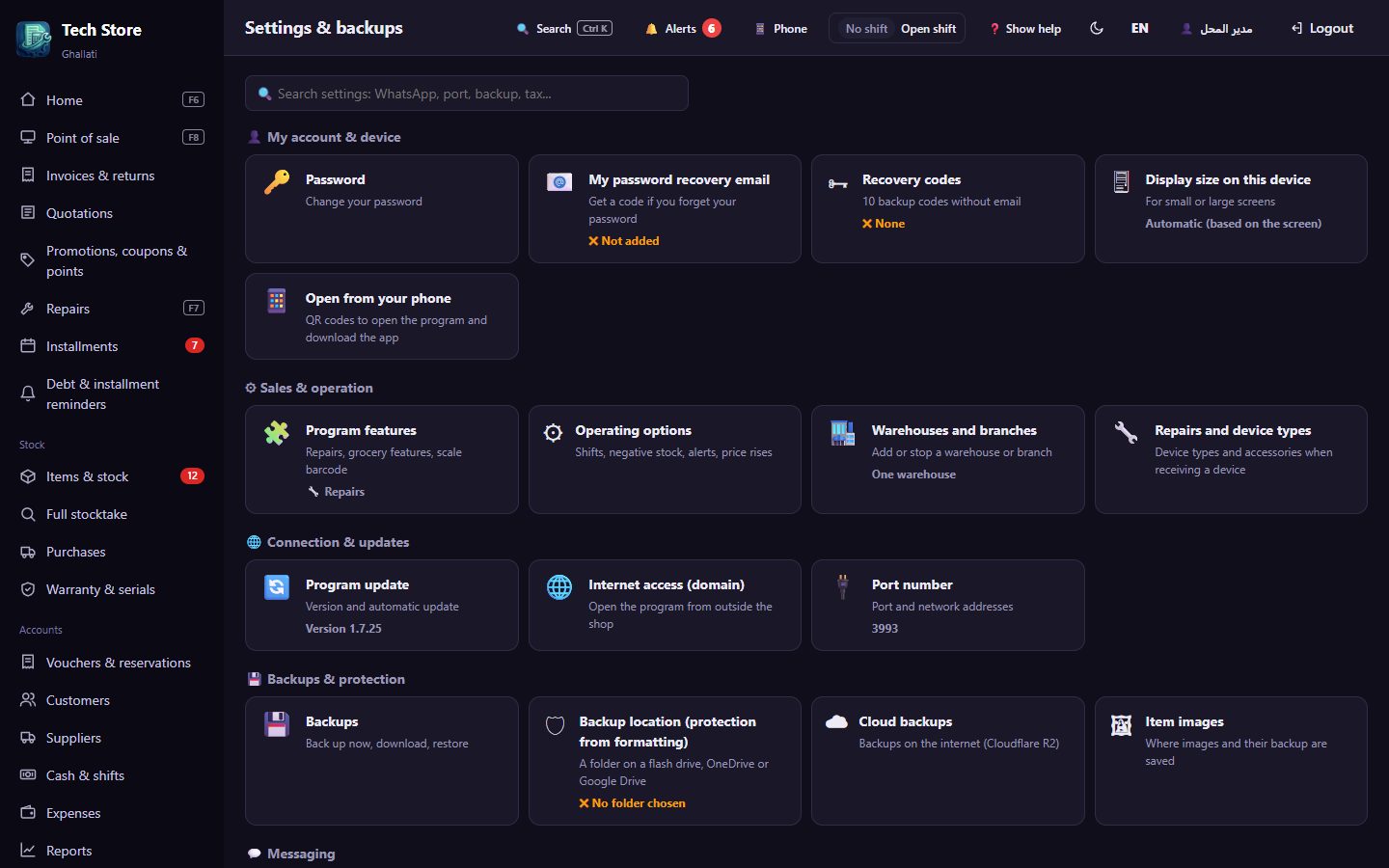
🛡Your data is safe

  • Automatic backups on the computer and in a folder you choose
  • Optional cloud backups, and restore after reinstalling Windows
  • Password recovery by email or recovery codes
  • Signed, secure automatic updates

Made for your shop

On first run you pick your business type, and the program prepares the right categories and device types for you.

📱Mobiles & electronics
💻Computers & networks
📹Cameras & networks
🎮Gaming
🔌Home appliances
🛒Groceries & supermarkets
🔧Repair centers
🏪Retail shops

🌐 Your shop, wherever you are

Connect Ghallati to free Cloudflare and a domain with your shop's name, and open the program from home or while traveling — from your phone or any computer.

🏪Shop computerGhallati runs on it
and keeps your data
⇄
☁CloudflareSecure and free
no router ports to open
⇄
📱You, anywherePhone, tablet,
or any computer
🔒https://shop.myshop.comExample: your shop's link
  • ✏
    Edit items and prices while you're outAdd an item, change a price, or check quantities and low stock.
  • 📊
    Follow your shop liveToday's sales, profit, cash drawer and reports.
  • 🔧
    Keep an eye on repairs and staffDevice status, invoices, and who did what.
  • 🔒
    ProtectedPassword login, and you can add Cloudflare protection with a code sent to your email.
  • 📲
    Works with the Android appThe app connects over the shop network, and over the internet link when you're away.
Create a Cloudflare accountIt's free. Buy a domain with your shop's name there (a small yearly fee).
Create a Cloudflare «tunnel»From the Cloudflare dashboard, and copy the token it gives you.
Paste it into GhallatiIn Settings → Internet access, with step-by-step instructions right there.
Open your shop's linkFrom anywhere, as long as the shop computer is on and connected to the internet.

Inside the program

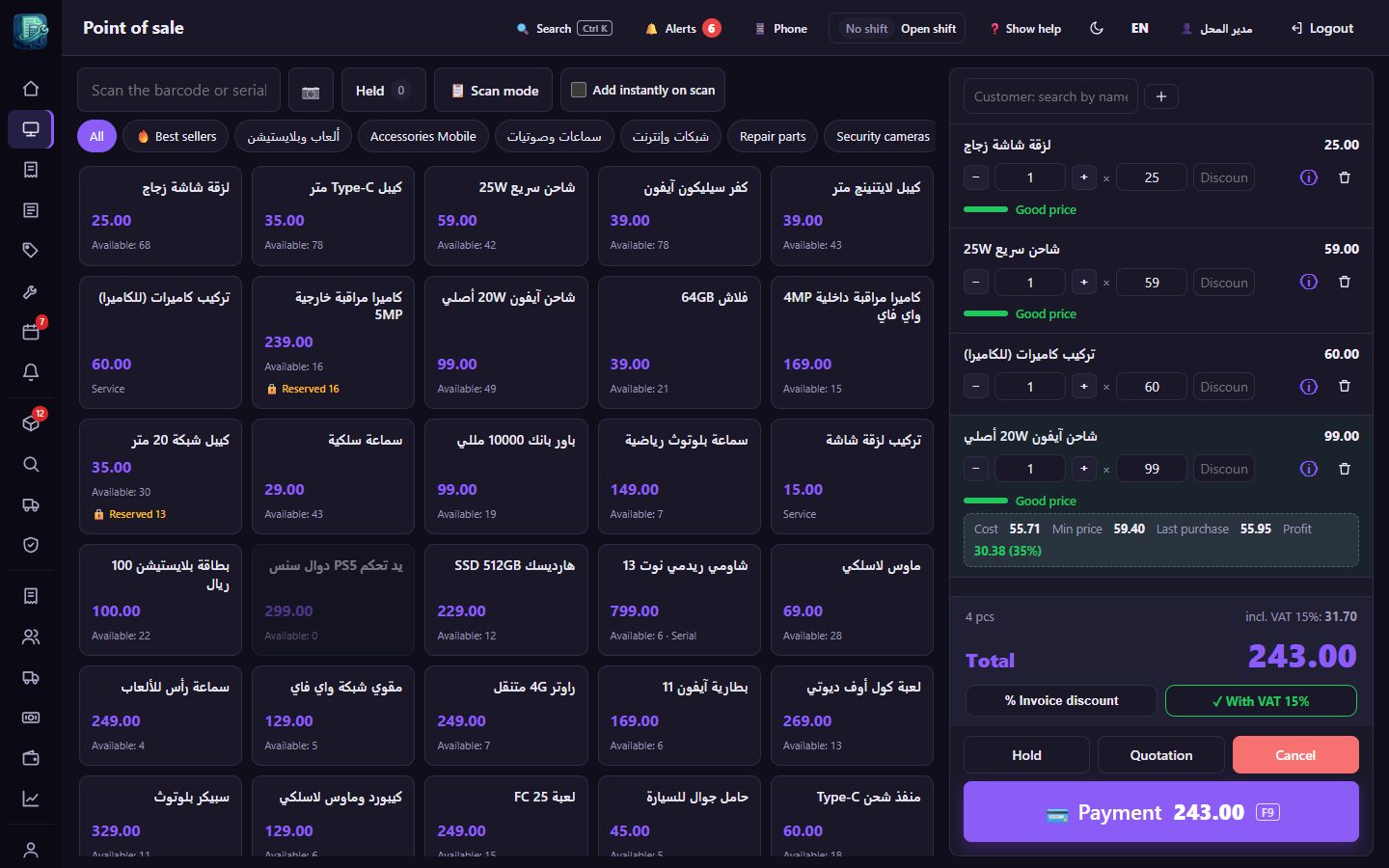
Real screenshots of Ghallati in English. Click any picture to enlarge it.
Why Ghallati?

3 languagesEnglish, Arabic and Bengali — each employee picks their own
OfflineRuns on the shop computer, and your data stays with you
All in oneSales, stock, repairs and accounts in one place
Always improvingNew features and fixes arrive automatically

Try Ghallati

Download it, try it in your shop, and send us your feedback.

🧪 Beta version

Ghallati is still in testing and is not for sale yet. This site is for downloading the beta versions and improving them with your feedback. You may see bugs or changed screens as updates arrive, and updates reach you automatically. Always keep a backup of your data.

Download & installOne setup file on the shop computer (Windows 10 or 11). Installation guide with pictures
Try it for 7 daysAll features are open: add your items and try sales, repairs and reports.
Send your feedbackAny bug or suggestion, send it to us on WhatsApp. To extend the trial, contact us.

💻 Ghallati for PC

The main program. Install it on the shop computer; the other computers and phones in the shop open it over the network.

⬇Download GhallatiWindows 10 & 11

📲 Android app

For staff and owners: selling, stocktake and barcode scanning from the phone. Scan the QR code or tap the button, then connect it to the shop by scanning a QR code from the program.

⬇Download the appAndroid 7 and later

Step-by-step installation

Two minutes and you're ready.

1

Download the program

Click «⬇ Download Ghallati» and wait for the file to download (about 36 MB). You'll find it in your Downloads folder, with a name starting with Ghallati-Setup.

2

Open the file

Double-click the file. If your browser asks «Do you want to keep this file?», choose Keep.

3

If a blue Windows screen appears

Click «More info», then click «Run anyway».

✕

Windows protected your PC

Microsoft Defender SmartScreen prevented an unrecognized app from starting. Running this app might put your PC at risk.

More info
Don't run
a) Click «More info»
✕

Windows protected your PC

App: Ghallati-Setup.exe

Publisher: Unknown publisher

Run anywayDon't run
b) Click «Run anyway»
💡 Why does this message appear? Windows shows it for any new program downloaded from the internet that doesn't have a «code signing certificate» yet. The program is safe, and the message appears only once on the first install; updates after that install by themselves without it.
4

The setup window

The Ghallati setup window opens. Leave the options as they are and click the install button (تثبيت). No internet is needed to install.

5

First run — switch to English

The program opens by itself, in Arabic. Click the language button (ع) at the top of the screen and choose English. Then pick your business type (mobiles, computers, grocery…), enter the shop name, and create the manager account with a password you'll remember. A «Ghallati» shortcut appears on your desktop.

6

Save a backup

In Settings → Backup location choose a USB drive or a Google Drive or OneDrive folder, so your data comes back if the computer changes.

Frequently asked questions

Does it need internet?

No. Sales, stock and reports work without internet. Internet is only needed for WhatsApp, cloud backups, updates and access from outside the shop.

Is it available in English?

Yes. The whole program works in English, Arabic and Bengali, and each person picks the language on their own device. Printed invoices and WhatsApp messages to customers stay in Arabic.

How many devices can use it?

It's installed on the shop computer, and the other computers and phones on the same network open it from the browser or the Android app.

What does the computer need?

Windows 10 or 11. It supports thermal receipt printers, A4 printers, barcode label printers, barcode scanners and scales.

Is my data safe?

Automatic backups on the computer and in a folder you choose, like a USB drive or Google Drive, and you can restore them even after reinstalling Windows.

My shop isn't registered for VAT?

No problem. Sell without VAT, and turn on VAT invoices with a QR code whenever you need them.

Can I import my existing items?

Yes, from an Excel file in one go, and the program recognizes the columns by itself.

Can I see my shop and edit items while I'm away?

Yes. Connect Ghallati to free Cloudflare and a domain with your shop's name from «Settings → Internet access», then open the program from your shop's link anywhere: edit items and prices, and see sales and reports. The shop computer must be on and connected to the internet. How it works

Is the program for sale?

No. Ghallati is currently a beta and not for sale. We're sharing it to test it in real shops and improve it with your feedback.

What happens after the 7-day trial?

An activation screen appears. Send us the «device number» shown on it via WhatsApp to extend the trial, and your data stays exactly as it is.

Why does a blue Windows warning appear when installing?

Because the program is new and doesn't have a code signing certificate yet. Click «More info», then «Run anyway». The message appears only once, on the first install. Guide with pictures

Tell us what you think

Ghallati is a beta version and not for sale yet. Send us your feedback, suggestions and any bug you find on WhatsApp — in English or Arabic.

💬WhatsApp+966 55 270 6252